

Before installing the presets
please download VN app
Installation Steps:
How to Install and Use Your Presets in the VN App

Download the VN app
Download the VN App from the App Store or Google Play.

Download after purchase
After your purchase, click on the Download button on your confirmation Page. Don't worry, you will also receive a confirmation email with the link.

Confirm The Download
Click on the Download button

Go to the Download Folder
As indicated in the image, click on the button to the left of the URL.

Select Download
Select Download on the popup menu illustrated in the picture. That will take you to the Download folder. It is located under the FILE section of your phone. (NOT Camera Roll),

Unzip the file
Click on the .zip file (circled in red) with the name of the preset. That will open the preset pack folder.
If your smartphone has a built-in zip extractor the folder with the separate presets will be visible immediately. Open the folder, and you should see a number of different files (.CUBE): these are your presets. If your smartphone doesn't have a built-in zip extractor, you can download one in the App Store such as 'Zip Extractor' for iPhone or 'Zarchiver' for Android, and open the zip file with it.
If the file does not unzip on your phone

Confirm The File Is Unzipped
You should now see the folder with all your presets. Make sure you can see the folder before you move to the next step.

Open the app
Open the VN app on your phone

Tap the plus sign.
Click in the blue button with the + sign

Go to Library, then tap Filters.
Click on the button filters

Click on “My Filter.”
Once inside filters, you will select MY FILTERS on the top right corner

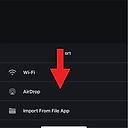
Select "Import Filters"
Tap Import Filter and choose the files from your phone.

Search "Video Preset"
Type the name of the pack you purchased to search and open the folder.

Select all the files and tap Open.
The app will import your filters.

Select "New Folder"
Create a new folder and name it after your pack, for example: Travel Video Pack.

Tap Done, then tap Create Filter.
Now you should see your preset folder created.

Go back and start a New Project.
Choose the video you want to edit from your library.
Tap Filter
Select the filter you want to use.

Edit your video
Adjust the intensity if you want the effect to be softer or stronger.

Export the edited video
Once you’re happy with the result, tap the check mark. Export the edited video to your phone.
Now Go Create Amazing Videos!!
We want to see your progress, so tag your new and improved content #biamagic.